
GLSL Shaders for Projection Mapping: Endless Live Visuals
Why real-time GLSL shaders beat video files for mapping, and how to use 100+ built-in shaders, your own code and audio-reactive parameters in MApp.

A video file is fixed: same length, same resolution, same look every time. A shader is a small program that draws the image in real time on the graphics chip. That makes shaders ideal for projection mapping – they never run out, they look sharp at any resolution, and you can change them live.
Why shaders work so well on mapped surfaces
- No resolution limits. A shader renders at the size of the output, so it stays crisp on a large wall.
- Infinite length. No loops that visibly restart – the pattern keeps evolving.
- Live parameters. Speed, colour, scale and complexity are knobs, not decisions baked into a file.
- Tiny files. A shader is text; a whole library takes less space than one video clip.
- Perfect for projection lasers. Thin, bright lines from a shader become beams in haze – see projection lasers.
Shaders in LayerMapper MApp
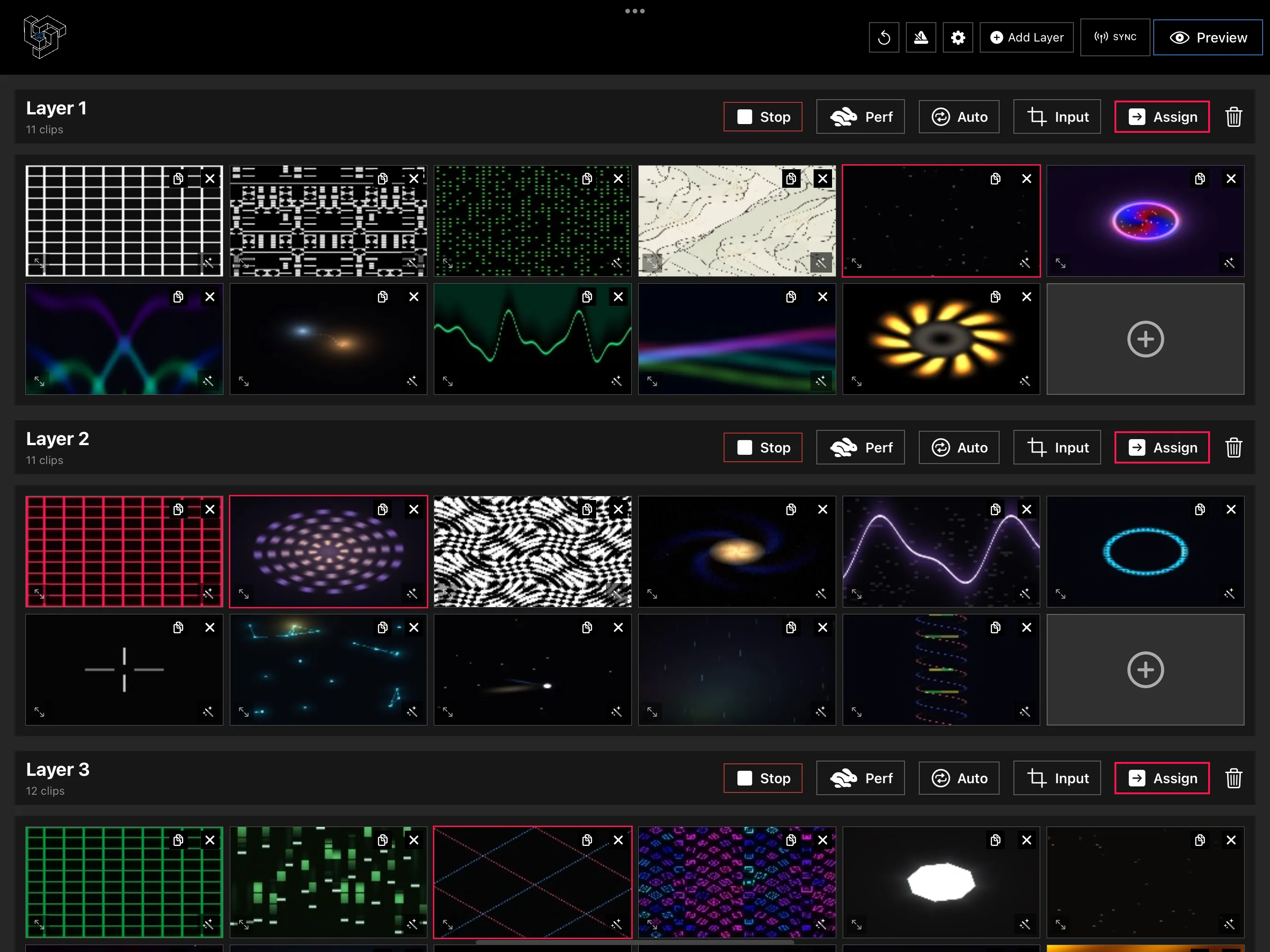
MApp includes more than 100 built-in GLSL shaders and works with your own:
- Add a shader as a clip in any layer – it sits in the clip grid next to videos and cameras.
- Tweak its parameters live and save the settings as part of a preset.
- Make it audio-reactive – parameters can follow the music or the microphone.
- Blend it with video or camera layers using blend modes such as Add, Screen or Multiply.
- Map it onto any mesh like any other clip.
Bring your own shader
If you write GLSL – or find a shader you like – import it as a custom shader and use it like the built-in ones. Shaders with parameters become controls you can adjust or map to MIDI.
Not a coder? The LayerMapper AI Shaders app writes shaders from a sentence and sends them to MApp over the local network.
Tips for using shaders on a projector
- Dark backgrounds read better on most surfaces – a projector can’t project black, so contrast comes from what you leave dark.
- Slow parameters for architecture, fast ones for music – big surfaces need calmer motion.
- Mask the spill – shaders fill the whole mesh, so use mask meshes for clean edges.
- Watch the device temperature on long shows with many complex shaders; Performance mode gives maximum frame rate when you need it.
Summary
Shaders give you visuals that never end, scale to any wall and react to music. Start with the built-in library in LayerMapper MApp, then add your own or generate new ones with AI.
Frequently asked questions
How many shaders does LayerMapper MApp include?
MApp ships with more than 100 built-in GLSL shaders and can import your own custom shaders.
Can shaders react to music?
Yes. Since version 2.2, shader parameters can be audio-reactive, driven by music or the microphone.
