
Projection Mapping on Android: Getting Started with MApp
How to do projection mapping with an Android phone or tablet: requirements, connecting a projector, meshes, shaders and live streaming in LayerMapper MApp.

Most mobile projection mapping apps live only on the App Store. LayerMapper MApp runs on Android too, so a phone or tablet you already own can become a mapping controller – with meshes, shaders, cameras, MIDI and live streaming.
What you need
- An Android phone or tablet with Android 9 or later and OpenGL ES 3.0 (practically every device from the last few years).
- A projector with an HDMI input.
- A way to send the image: a USB-C to HDMI adapter. Not every Android phone outputs video over USB-C – check your model’s specifications for “DisplayPort Alt Mode” or “video output”.
- LayerMapper MApp from Google Play – every feature is free for 30 days.
Step 1: connect and check the clean output
Plug the adapter into the phone and the projector. MApp sends a clean output to the external display: the audience sees only the mapped image, while you keep the interface on the phone.
No video over USB-C on your phone? Direct-LAN is already built into MApp on Android – it sends the output over Wi-Fi. The matching receiver app for Android TV boxes is in final testing and coming soon to Google Play; then a cheap TV box plugged into the projector is all you need.
Step 2: build layers and map the surface
The workflow is the same as on iPad:
- Add a layer and fill it with clips – videos and photos from your gallery, one of 100+ GLSL shaders, or a live camera.
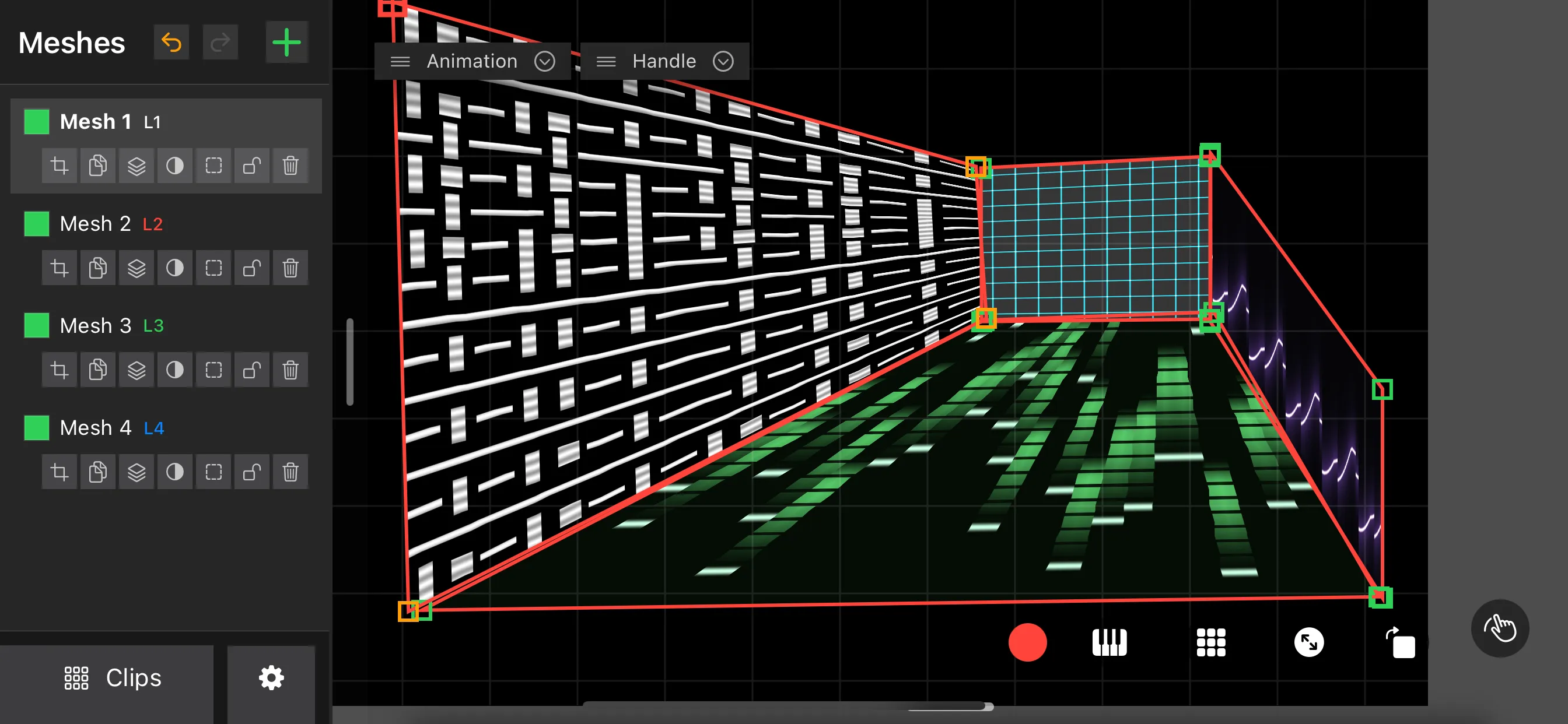
- Add a mesh for each surface and assign the layer to it.
- Warp with multi-point keystone, homography, circle or Bézier meshes; hide spill with a mask mesh.
Step 3: make it perform
- Cameras: use the camera as a live source and mix it into the mapping.
- Music: BPM sync and Ableton Link keep animations in time; audio-reactive parameters follow the music or the microphone.
- Hardware: MIDI Learn maps any control to a controller; DMX / Art-Net (beta) connects MApp to a lighting rig.
- Presets: 16 instant recall slots for live switching.
Step 4: stream it
Live streaming is built into MApp on Android too: send the clean output to YouTube, Facebook or any RTMP server straight from the phone. See how to stream projection mapping live.
Android or iPad – which one?
Both run the same app with the same prices: $11/month, $44/year or $88 lifetime after the 30-day trial. iPad gives you AirPlay and Metal rendering; Android gives you a wider choice of hardware and, soon, the Android TV receiver. You can also use both: MApp on several devices can work together in one show.
Summary
An Android phone, an HDMI adapter and a projector are enough to start projection mapping. Install LayerMapper MApp, map your first surface and grow into cameras, shaders and streaming from there.
Frequently asked questions
Is there a projection mapping app for Android?
Yes. LayerMapper MApp is available on Google Play for Android 9 or later with OpenGL ES 3.0, at the same prices as on iPhone and iPad.
How do I connect an Android phone to a projector?
Use a USB-C to HDMI adapter if your phone supports video output over USB-C. Wireless output to an Android TV box with the LayerMapper receiver is coming soon.
Do I pay again if I already bought MApp on iOS?
Purchases belong to your store account, so App Store and Google Play purchases are separate.
